Let AI make your delivery faster and steadier
We are bringing AI into requirements, planning, testing and reporting. What is live can be used today; more is coming soon.
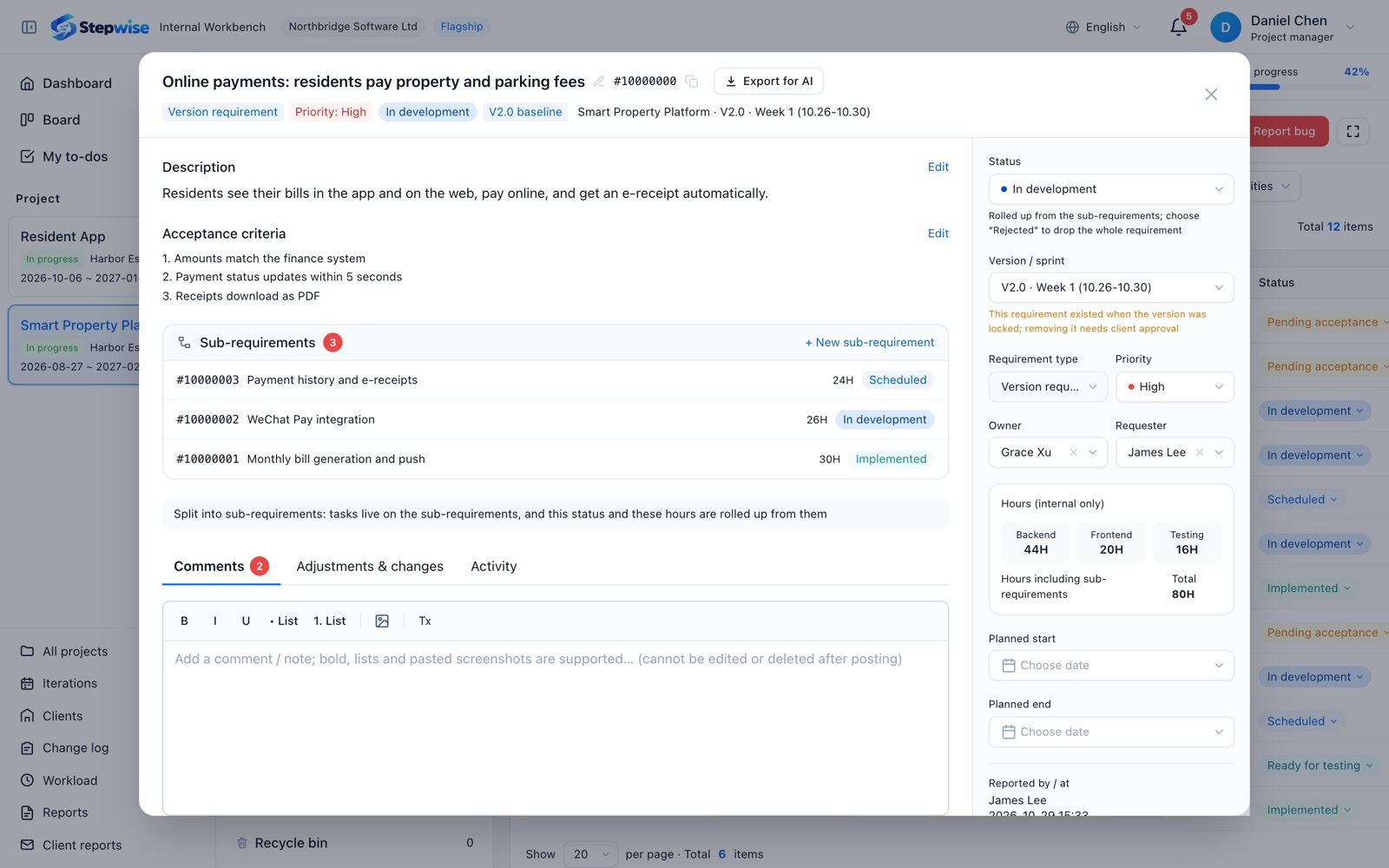
Available now: Export for AI
In a requirement or bug, click "Export for AI" next to its number. The title, description (Markdown), acceptance criteria, screenshots, videos and comments are packed into one zip. Hand it to an AI coding tool such as Claude Code or Cursor, and it can read the requirement and start working.
- 1Open a requirement or bug
- 2Click "Export for AI" next to its number
- 3Hand the zip to your AI coding tool
Coming soon
Turn a requirement description into sub-requirements and acceptance criteria, with a first estimate of the hours.
Suggest how to plan the week from each person's capacity and booked hours, and flag under- or over-booking early.
Draft the project and client reports from the requirements delivered and bugs fixed this week, ready to review and send.
Generate test cases and acceptance checklists from requirements and acceptance criteria.
Watch for delays, repeated send-backs and frequent changes, and alert the project manager in time.
Clients ask the portal directly: "What was done this week?" "When will this requirement go live?"
Our approach
Company admins turn AI features on or off; your team decides.
AI drafts and suggests; approving, submitting and sending to clients stay with people.
Self-hosted customers will also be able to connect their own models.
Want to be among the first to try AI?
Tell us which AI capability you need most when you book a demo, and we will invite you to try it first.