
The whole delivery, in one system
Stepwise has two sides, a team workspace and a client portal, and five capabilities covering every step from the first request to acceptance and settlement.
Clients see everything, and decide in one click
Give every client their own portal. Nothing to install: in the browser they follow progress, raise requirements and bugs, approve scope and accept finished work.
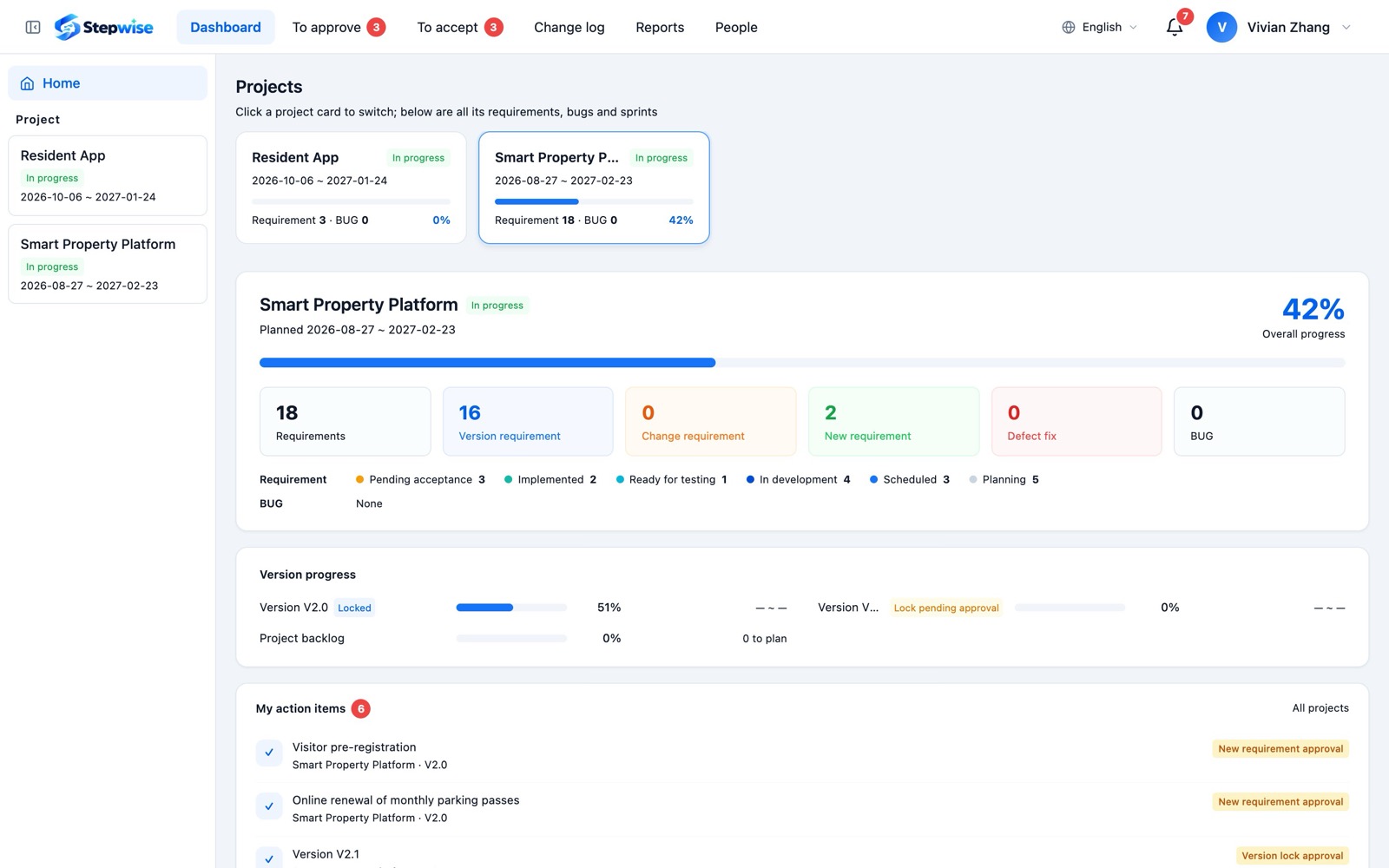
- Live progress
Version progress and how each weekly sprint is going. Clients check it themselves, so you stop answering "where are we?".
- Online approvals
Version lock, new requirements, moves out of a version and change requests: clients approve or decline in the portal, naming who approved and why.
- Online acceptance
Submit finished requirements for acceptance in one click. Clients accept, or explain what is wrong, screenshots included.
- Weekly client report
Generated on the last workday of every week: what was delivered, what was fixed, what comes next. Exports to PDF.
- Only what they should see
Clients only see their own projects, and the portal shows "Vendor" instead of your staff names.
Clear scope, recorded changes, agreed person-days
Locking a version is the scope you agree with the client. After that, adding, moving or changing requirements needs the client's approval, and the final person-days are agreed in the change log, ready to export.
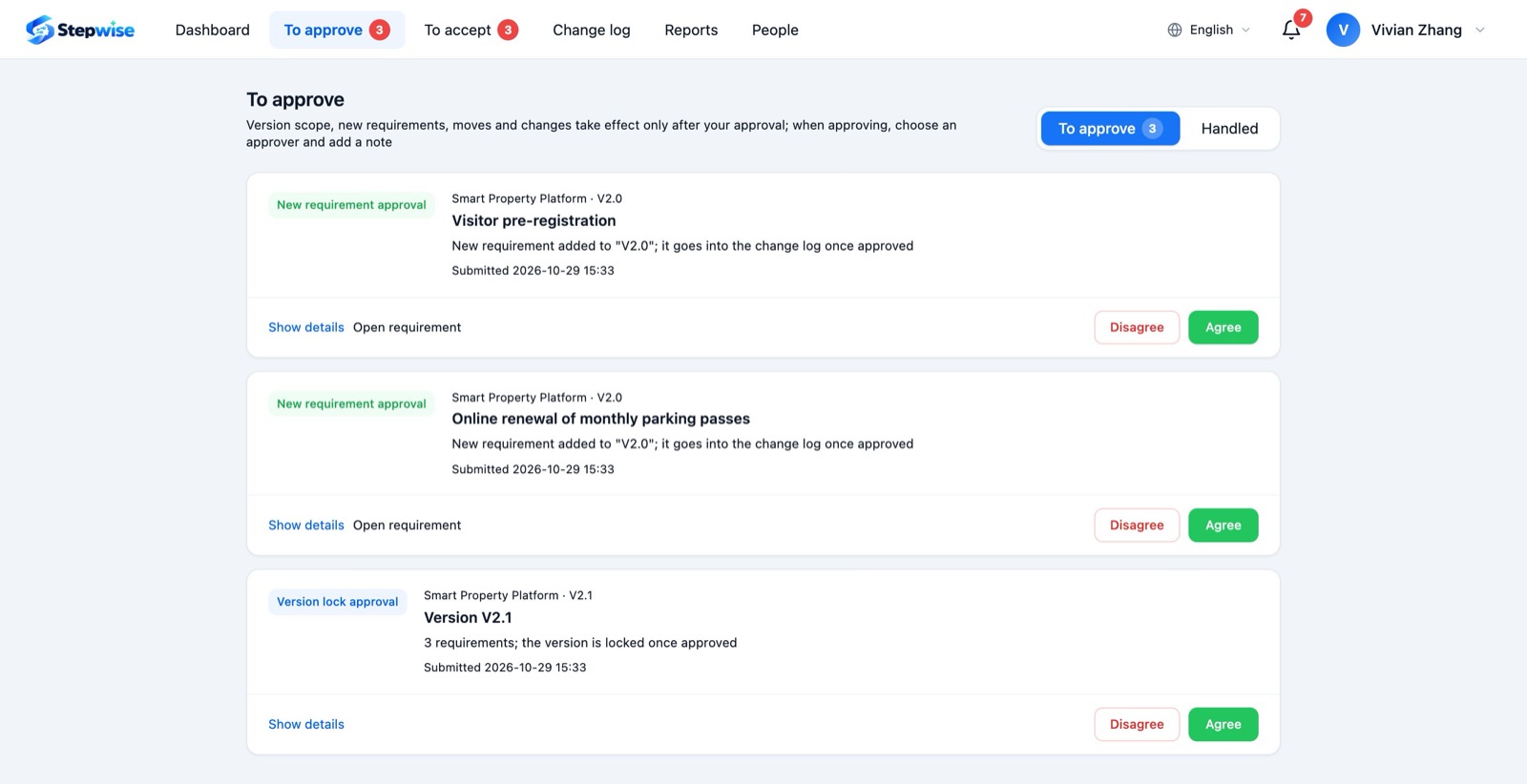
- Version lock
Send the requirements for this version to the client; once approved, they become the baseline.
- Approved additions and removals
Adding a requirement to a locked version, or moving one out, turns into an item waiting for the client's approval.
- Adjustments and changes
When a client wants something different, raise an adjustment or change, estimate it and send it for approval; the original requirement stays untouched.
- Change log
Added and changed requirements are reconciled in person-days and exported to Excel for the client.
- Everything on record
Status changes, approvals, comments and attachments live in each requirement's history: who did what, and when.
From requirement to release, every step has an owner
Plan requirements into weekly sprints, break big ones into sub-requirements, and split the hours row by row to the developers and testers doing the work. Tasks move from "accept" to "ready for test" to "tested", and the next step starts on its own.
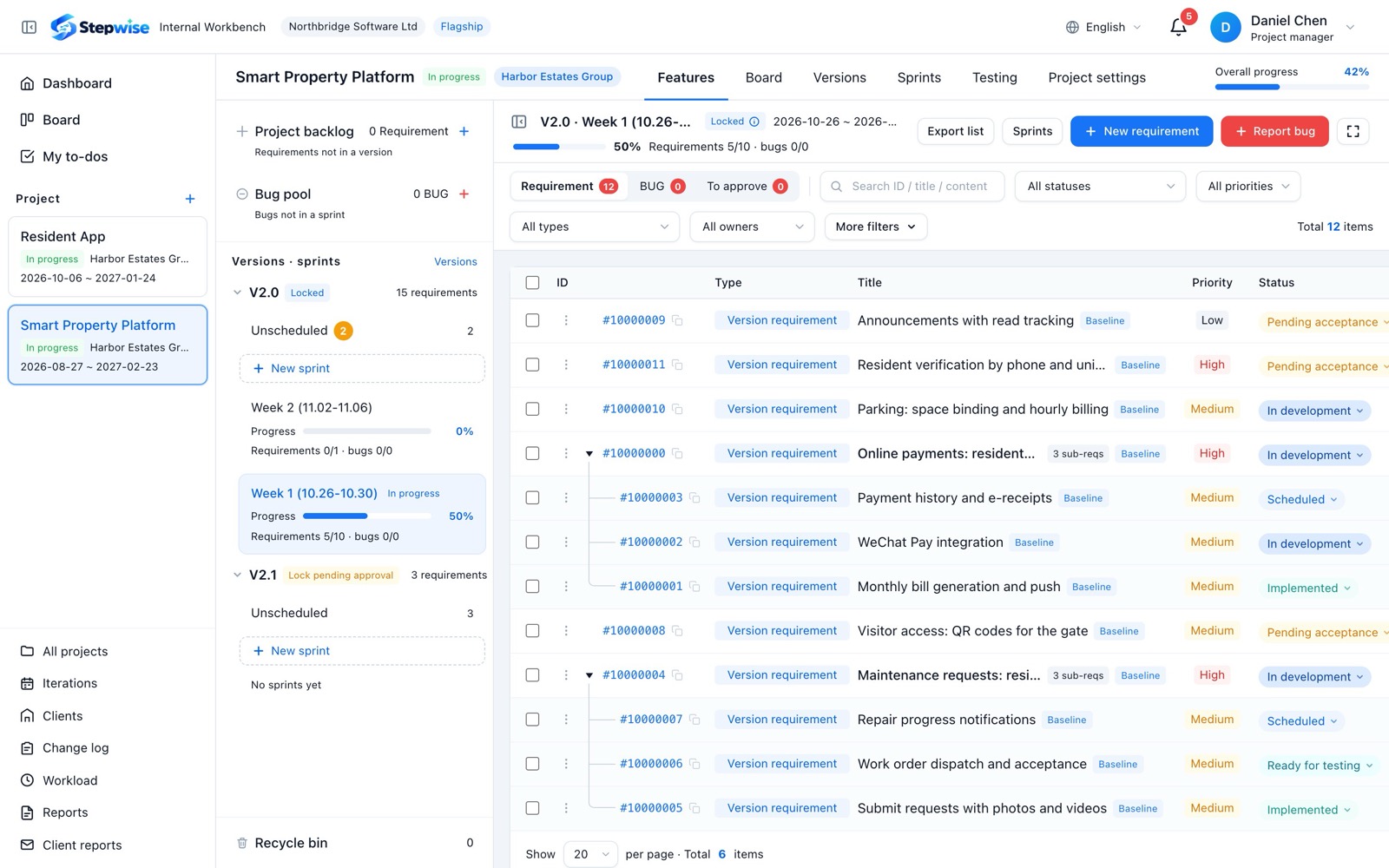
- Feature list
Requirements and sub-requirements as a tree, filtered by status, owner and type, with bulk edits and a focus mode that shows just the list.
- Hour splits
One row per person: type (backend, frontend, app, testing…), owner and hours, with testing as its own row.
- Task flow
A developer accepts, hands over to the assigned tester, the tester passes or sends it back; the requirement status follows its tasks.
- Bug teamwork
Several people can fix one bug through fix tasks; testing hours are logged per person, and the named verifier checks the fix.
- Test management
Test plans, cases and runs in one place, with the testing time on cases counted as hours.
- My to-dos
Anything to accept, test or verify lands in your to-dos and disappears when it is done.
Who is busy with what, and how much got done this week
The whole company runs on one weekly rhythm: each sprint is one working week, settled automatically at 23:00 every night. Workload and performance come straight from everyday tasks, with no extra timesheets.
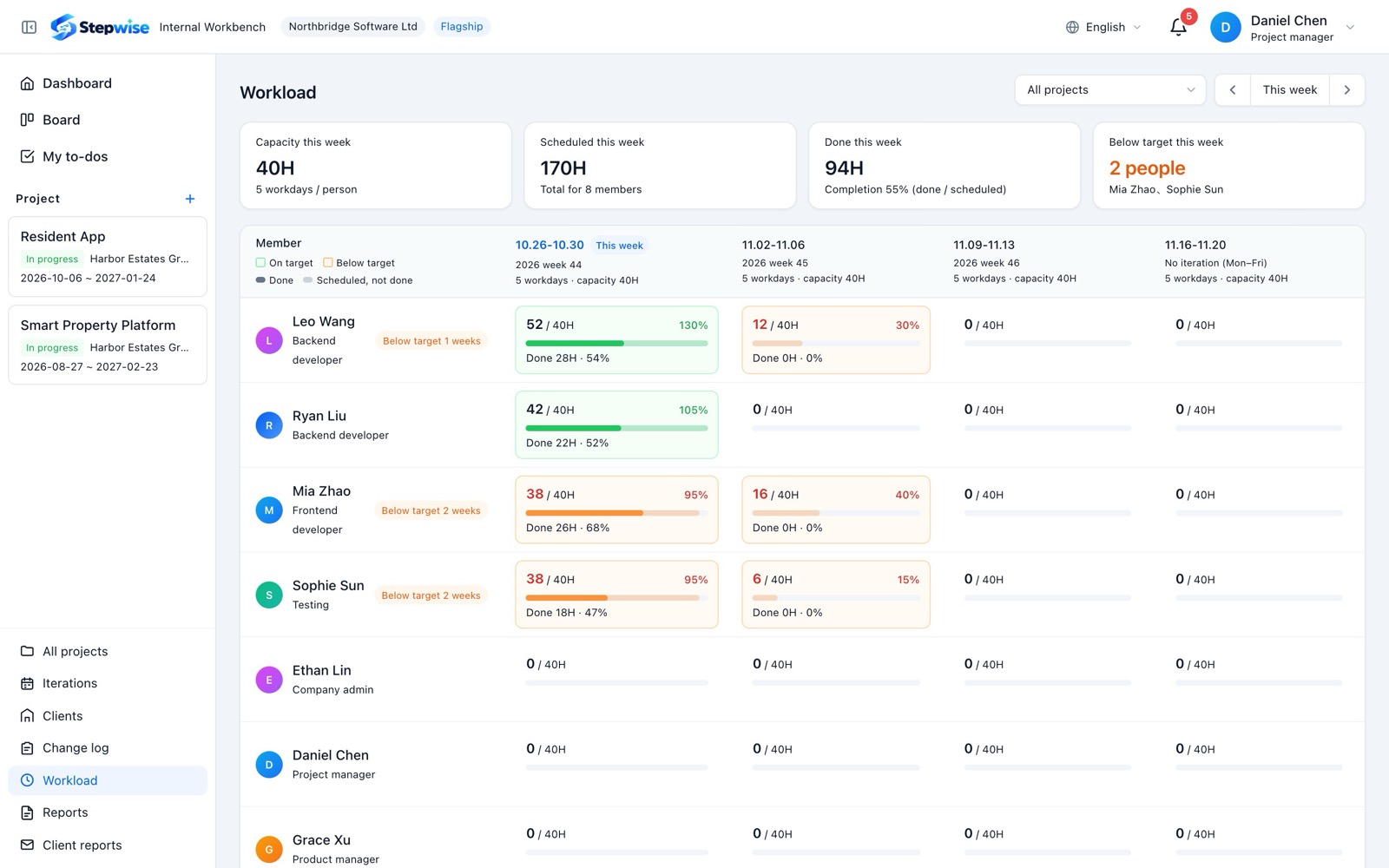
- Workload
For each person and week: hours scheduled, capacity and hours done. Fully booked shows green, under-booked shows orange.
- Automatic settlement
Sprints that end are settled every night; unfinished work rolls over to the next week and the rollovers are counted.
- KPI scores
Weighted scores per role, plus or minus from the manager, and a company ranking by week, month and year.
- Daily and weekly reports
Member and project reports are compiled automatically, so managers see the whole picture at a glance.
- Product center
Product managers plan their own weekly work, and those hours count too.
Ready in the cloud, inside your data center, or shaped to your process
Stepwise is a multi-tenant SaaS you can start using right after sign-up. Teams with strict data requirements can host it on their own servers, and when the standard flow does not fit, we build what you need.
Deploy with Docker and keep data on your own servers.
Features and fields adapted to your process, connected to your systems.
Positions, menus, actions and sensitive data granted separately.
QR sign-in, and project updates pushed to WeCom groups.
Chinese, English and Portuguese, chosen per person.
Companies, projects and clients are kept apart.
Strong passwords, lock-out, instant session revocation, private attachments.
iOS and Android apps are being planned.
- Self-hosting
Deploy with Docker on your own servers and keep your data in your hands.
- Custom development
We adapt features and fields to your process, connect DingTalk, Feishu, OA and single sign-on, and put your own logo and domain on it.
- Fine-grained permissions
Positions set what data people see; menus and actions are granted per role; projects are isolated by membership.
- WeCom
Sign in by scanning a QR code, and push project updates to WeCom groups.
- Three languages
Chinese, English and Portuguese; your team and your clients each pick their own.
- Security hardening
Rich text is stripped of scripts, attachments are stored privately behind expiring links, repeated failed sign-ins lock the account, and changing a password signs out old sessions.
Let your clients see every step
Start free, set up your team space in minutes, and invite your team and clients.